

你喜歡Nano-Banana嗎?用它製作過所有朋友的人偶圖像,以及所有敵人的鬼臉?現在,這款尺寸更大的「 Gemini 3 Pro Image 」機型來了,你們肯定會更喜歡稱它為Nano Banana Pro !
Flash 版(Nano Banana)以其速度和價格優勢著稱,而 Pro 版則引入了「思考」功能、搜尋功能和高保真 4K 輸出。是時候用它輕鬆應付複雜的創意任務了!
本指南將引導您使用Gemini Developer API了解 Nano Banana Pro 的進階功能。
本指南將涵蓋以下內容:
-
在 Google AI Studio 中使用 Nano Banana Pro
-
專案設定
-
初始化客戶端
-
基本生成(經典)
-
「思考」過程
-
搜尋接地
-
高解析度 4K 世代
-
多語言能力
-
進階影像混合
-
專業版專屬演示
注意:若要查看此貼文的互動版本,請查看python cookbook或 AI Studio 的Javascript Notebook 。
1) 在 Google AI Studio 中使用 Nano Banana Pro
雖然最終用戶可以透過Gemini 應用程式存取 Nano Banana Pro,但對於開發者而言,進行原型設計和測試的最佳環境是Google AI Studio。 AI Studio 是一個實驗平台,開發者可以在編寫任何程式碼之前體驗所有可用的 AI 模型,它也是使用 Gemini API 進行建置的入口點。
您可以在 AI Studio 中使用 Nano Banana Pro。要開始使用,請存取aistudio.google.com ,使用您的 Google 帳戶登錄,然後從模型選擇器中選擇Nano Banana Pro (Gemini 3 Pro 圖像)。
與 Nano-Banana 不同,專業版沒有免費層級,這表示您需要選擇啟用計費功能的 API 金鑰(請參閱下方的「專案設定」部分)。
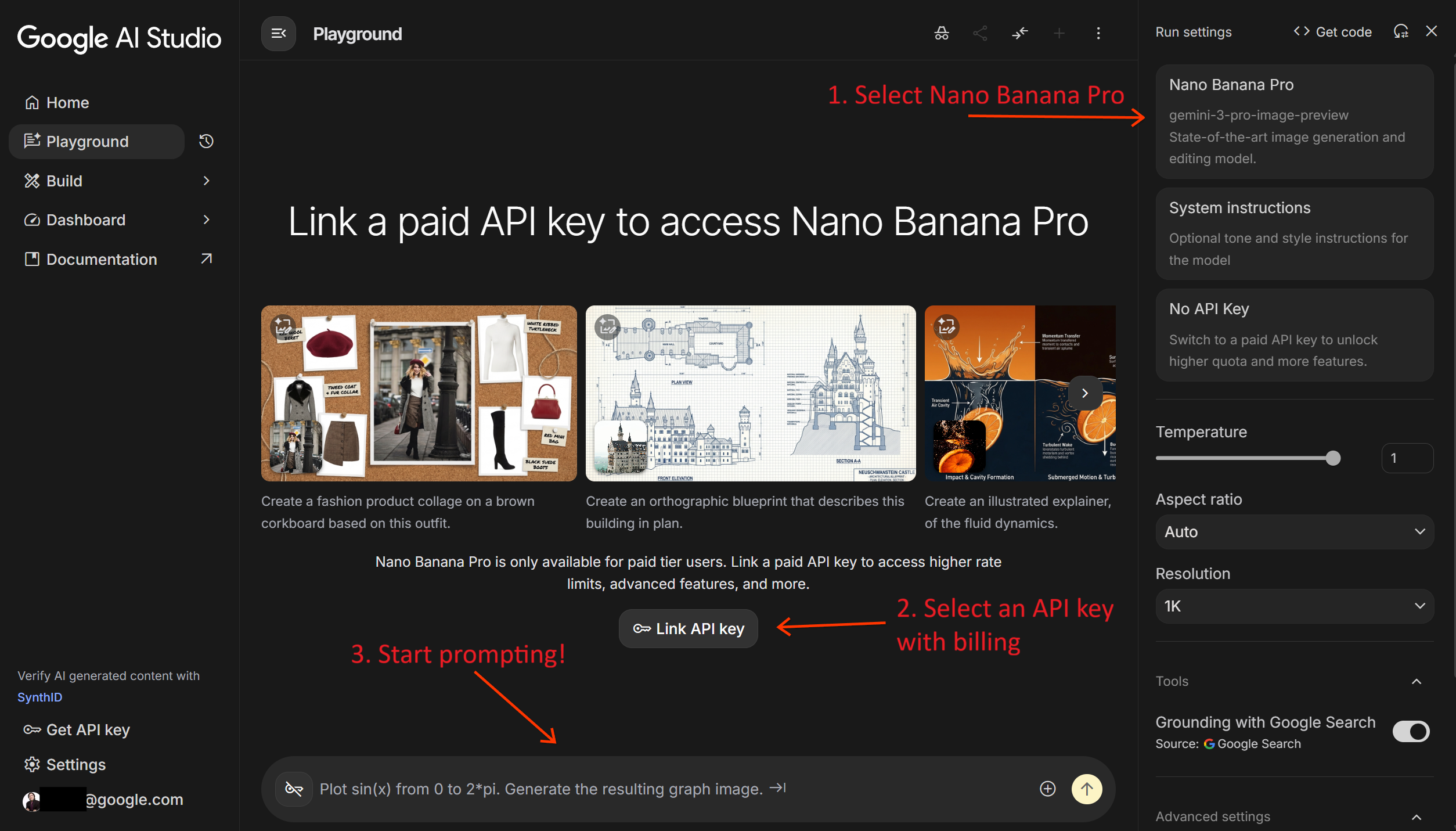
提示:您也可以直接在 AI Studio ( ai.studio/apps)中編寫 Nano Banana Web 應用程式,或瀏覽程式碼並重新混合現有應用程式之一。
2)專案設置
要按照本指南操作,您需要以下物品:
-
來自Google AI Studio 的API 金鑰。
-
為您的專案設定計費方式。
-
適用於Python或JavaScript/TypeScript的 Google Gen AI SDK。
如果您已經是 Gemini API 的資深用戶,掌握了以上所有知識,那就太好了!直接跳過本節,進入下一節。否則,以下是入門指南:
步驟 A:取得您的 API 金鑰
首次登入 AI Studio 時,系統會自動建立一個 Google Cloud 專案和一個 API 金鑰。
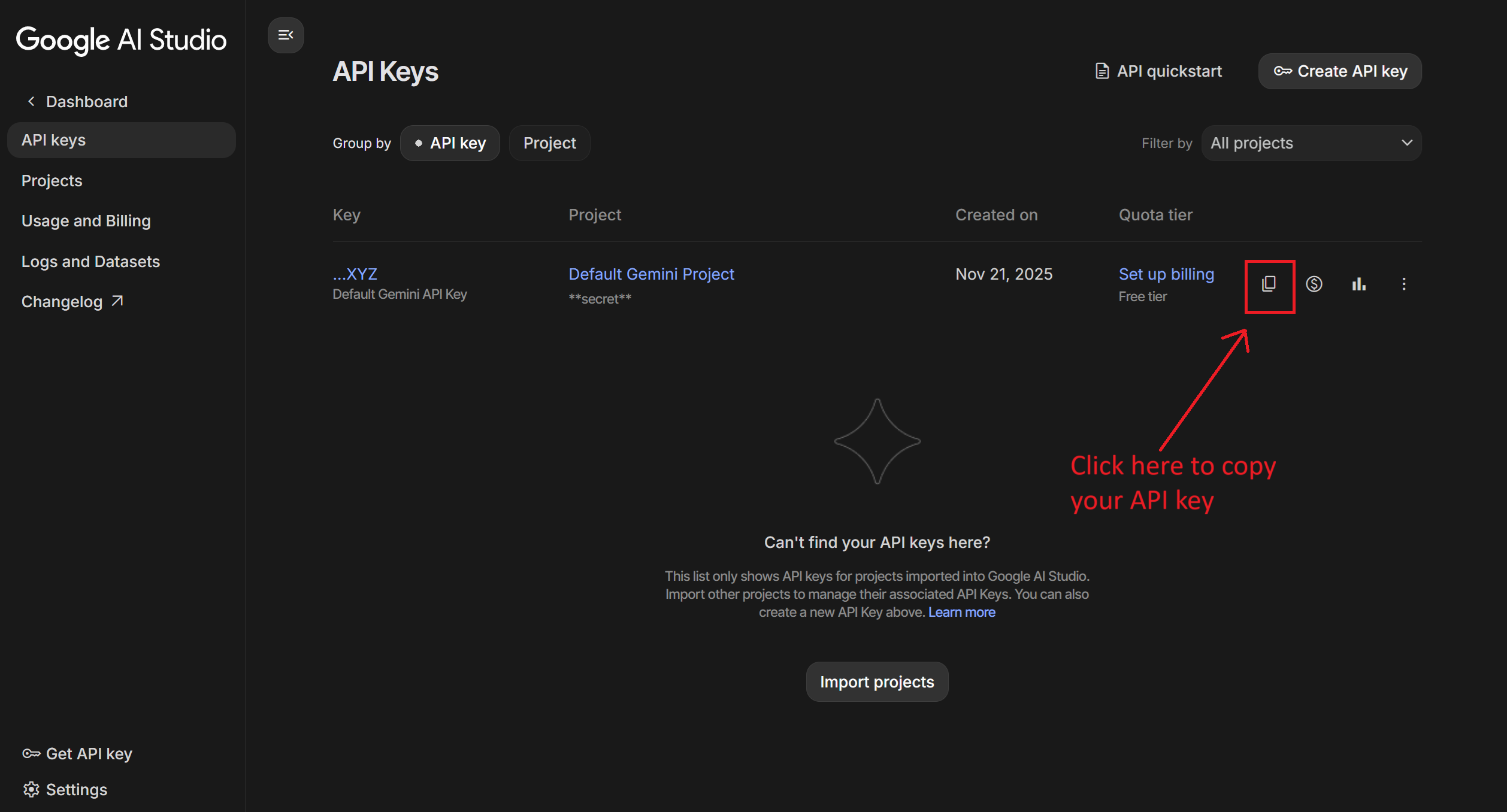
開啟API 金鑰管理介面,點選「複製」圖示複製您的 API 金鑰。
步驟二:啟用計費功能
由於 Nano Banana Pro 沒有免費套餐,您必須在 Google Cloud 專案中啟用結算功能。
在API 金鑰管理畫面中,按一下專案旁的「設定計費」 ,然後依照螢幕上的指示進行。

Nano Banana Pro 的價格是多少?
使用 Nano Banana Pro 生成圖像比使用 Flash 版本成本更高,尤其是生成 4K 圖像時。截至本文發佈時,生成一張 1K 或 2K 圖像需要花費0.134 美元,而生成一張 4K 圖像需要花費0.24 美元(外加輸入和文字輸出的代幣成本)。
請查看產品文件以取得最新定價詳情。
專業提示:使用批量 API可以節省 50% 的生成成本。但作為交換,您可能需要等待最多 24 小時才能取得影像。
步驟 C:安裝 SDK
選擇您首選語言的 SDK。
Python:
pip install -U google-genai
# Install the Pillow library for image manipulation
pip install Pillow
JavaScript / TypeScript:
npm install @google/genai注意:以下範例使用 Python SDK 進行示範。使用 Nano Banana 的等效 JavaScript 程式碼片段請參考此JS Notebook 。
3)初始化客戶端
要使用 Pro 型號,您需要使用gemini-3-pro-image-preview型號 ID。
from google import genai
from google.genai import types

# Initialize the client
client = genai.Client(api_key="YOUR_API_KEY")

# Set the model ID
PRO_MODEL_ID = "gemini-3-pro-image-preview"
4)基本生成(經典)
在深入探討高級功能之前,讓我們先來看看一個標準的生成過程。您可以使用response_modalities (取得文字和映像或僅映像)和aspect_ratio來控制輸出。
prompt = "Create a photorealistic image of a siamese cat with a green left eye and a blue right one"
aspect_ratio = "16:9" # "1:1","2:3","3:2","3:4","4:3","4:5","5:4","9:16","16:9" or "21:9"

response = client.models.generate_content(
    model=PRO_MODEL_ID,
    contents=prompt,
    config=types.GenerateContentConfig(
        response_modalities=['Text', 'Image'], # Or just ['Image']
        image_config=types.ImageConfig(
            aspect_ratio=aspect_ratio,
        )
    )
)

# Save the image
for part in response.parts:
    if image:= part.as_image():
        image.save("cat.png")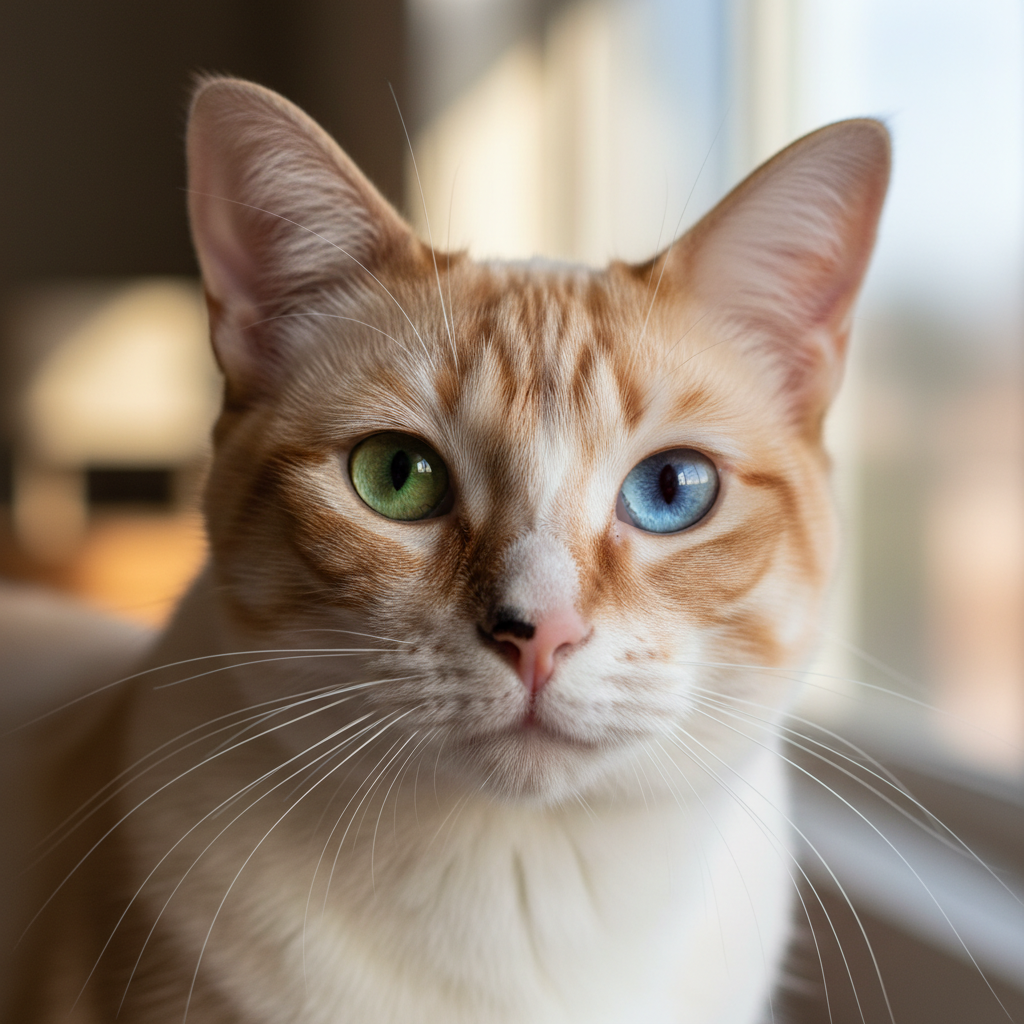
聊天模式也是一個選項(實際上,我推薦在進行多輪編輯時使用聊天模式)。可以參考第 8 個範例「Polyglot Banana」。
5)「思考」過程(它是鮮活的!)
Nano Banana Pro 不只是畫圖;它還會思考。這意味著它能夠理解你最複雜、最刁鑽的提示,然後再產生圖像。最棒的是什麼?你可以窺探它的「腦」!
若要啟用此功能,請在thinking_config中設定include_thoughts=True 。
prompt = "Create an unusual but realistic image that might go viral"
aspect_ratio = "16:9"

response = client.models.generate_content(
    model=PRO_MODEL_ID,
    contents=prompt,
    config=types.GenerateContentConfig(
        response_modalities=['Text', 'Image'],
        image_config=types.ImageConfig(
            aspect_ratio=aspect_ratio,
        ),
        thinking_config=types.ThinkingConfig(
            include_thoughts=True # Enable thoughts
        )
    )
)

# Save the image and thoughts
for part in response.parts:
  if part.thought:
    print(f"Thought: {part.text}")
  elif image:= part.as_image():
    image.save("viral.png")
你應該會收到類似這樣的內容:
## Imagining Llama Commuters

I'm focusing on the llamas now. The goal is to capture them as
daily commuters on a bustling bus in La Paz, Bolivia. My plan
involves a vintage bus crammed with amused passengers. The image
will highlight details like one llama looking out the window,
another interacting with a passenger, all while people take
photos.

[IMAGE]

## Visualizing the Concept

I'm now fully immersed in the requested scenario. My primary
focus is on the "unusual yet realistic" aspects. The scene is
starting to take shape with the key elements established.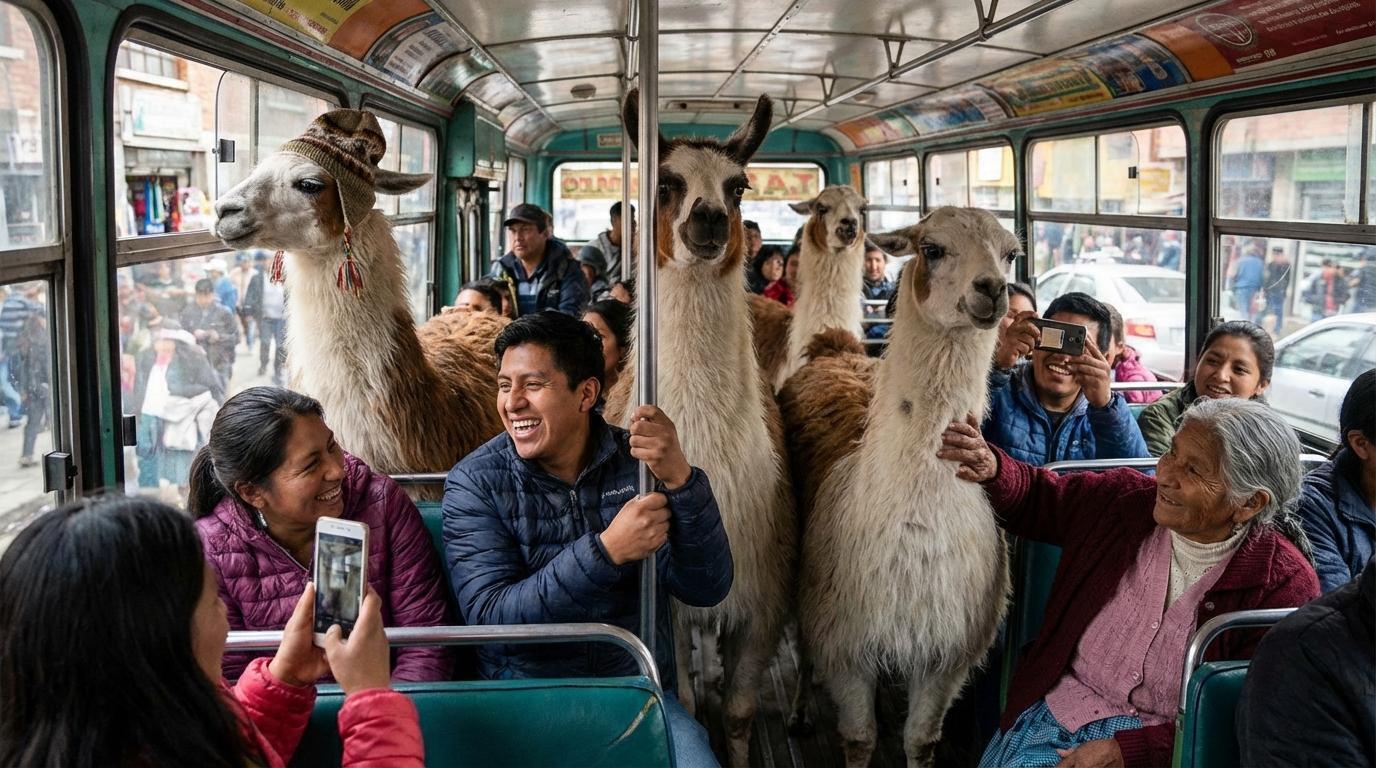
這種透明度有助於您了解模型如何理解您的要求。就像在和您的藝術家對話一樣!
6)搜尋接地(即時魔法)
其中一項最具變革性的功能是「搜尋即時性」 。 Nano Banana Pro 不拘泥於過去;它可以存取 Google 搜尋的即時資料,產生準確、最新的圖像。想看天氣?沒問題。
例如,您可以讓它顯示目前天氣預報:
prompt = "Visualize the current weather forecast for the next 5 days in Tokyo as a clean, modern weather chart. add a visual on what i should wear each day"

response = client.models.generate_content(
    model=PRO_MODEL_ID,
    contents=prompt,
    config=types.GenerateContentConfig(
        response_modalities=['Text', 'Image'],
        image_config=types.ImageConfig(
            aspect_ratio="16:9",
        ),
        tools=[{"google_search": {}}] # Enable Google Search
    )
)

# Save the image
for part in response.parts:
    if image:= part.as_image():
        image.save("weather.png")

# Display sources (you must always do that)
print(response.candidates[0].grounding_metadata.search_entry_point.rendered_content)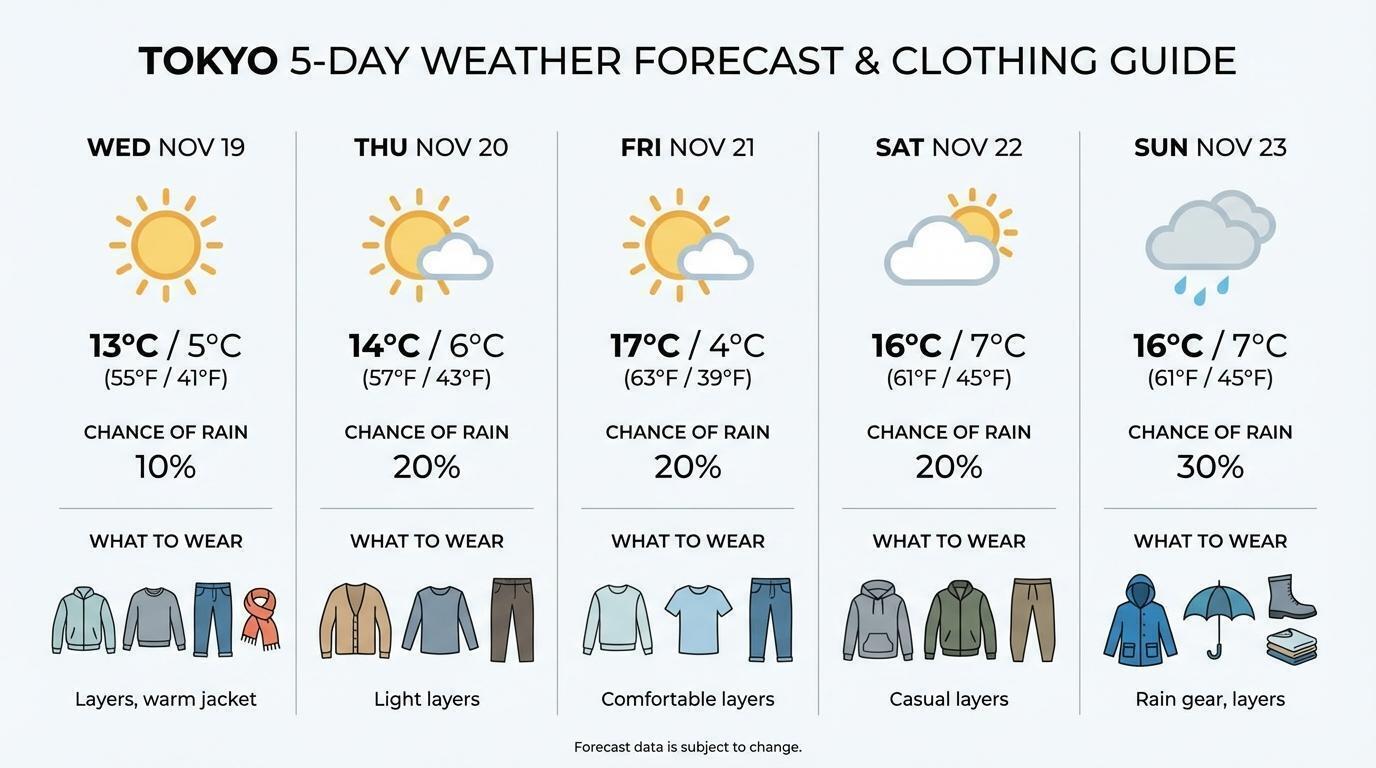
7)要嘛大幹一場,要嘛回家:4K 世代
需要列印級影像? Nano Banana Pro 支援 4K 解析度。因為有時候,越大越好。
prompt = "A photo of an oak tree experiencing every season"
resolution = "4K" # Options: "1K", "2K", "4K", be careful lower case do not work.

response = client.models.generate_content(
    model=PRO_MODEL_ID,
    contents=prompt,
    config=types.GenerateContentConfig(
        response_modalities=['Text', 'Image'],
        image_config=types.ImageConfig(
            aspect_ratio="1:1",
            image_size=resolution
        )
    )
)
注意:4K 技術成本較高,請謹慎使用!
8) 多語言香蕉(具備多語言能力)
該模型可以生成圖像中的文本,甚至可以將其翻譯成十幾種語言。它簡直就是你眼睛的通用翻譯器。
# Generate an infographic in Spanish
message = "Make an infographic explaining Einstein's theory of General Relativity suitable for a 6th grader in Spanish"

response = chat.send_message(message,
    config=types.GenerateContentConfig(
        image_config=types.ImageConfig(aspect_ratio="16:9")
    )
)

# Save the image
for part in response.parts:
    if image:= part.as_image():
        image.save("relativity.png")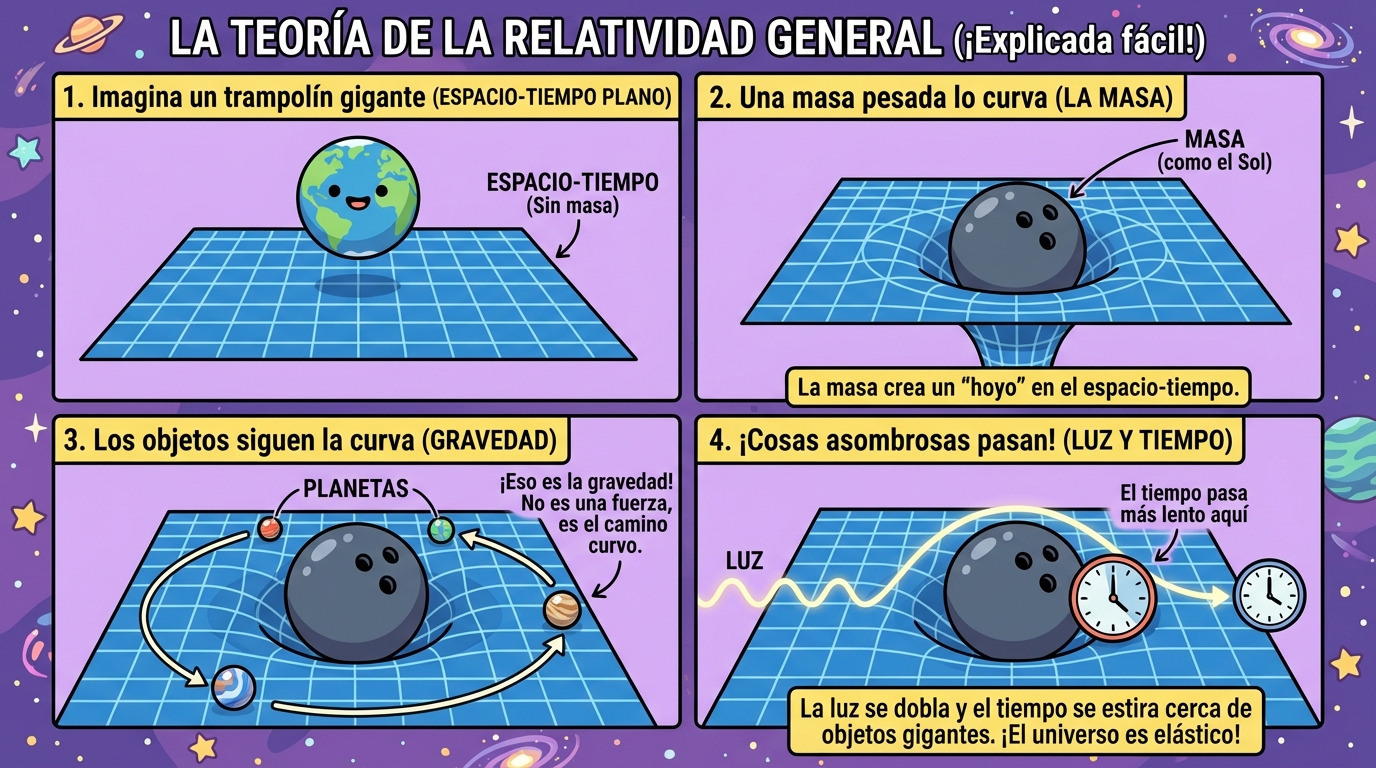
# Translate it to Japanese
message = "Translate this infographic in Japanese, keeping everything else the same"
response = chat.send_message(message)

# Save the image
for part in response.parts:
    if image:= part.as_image():
        image.save("relativity_JP.png")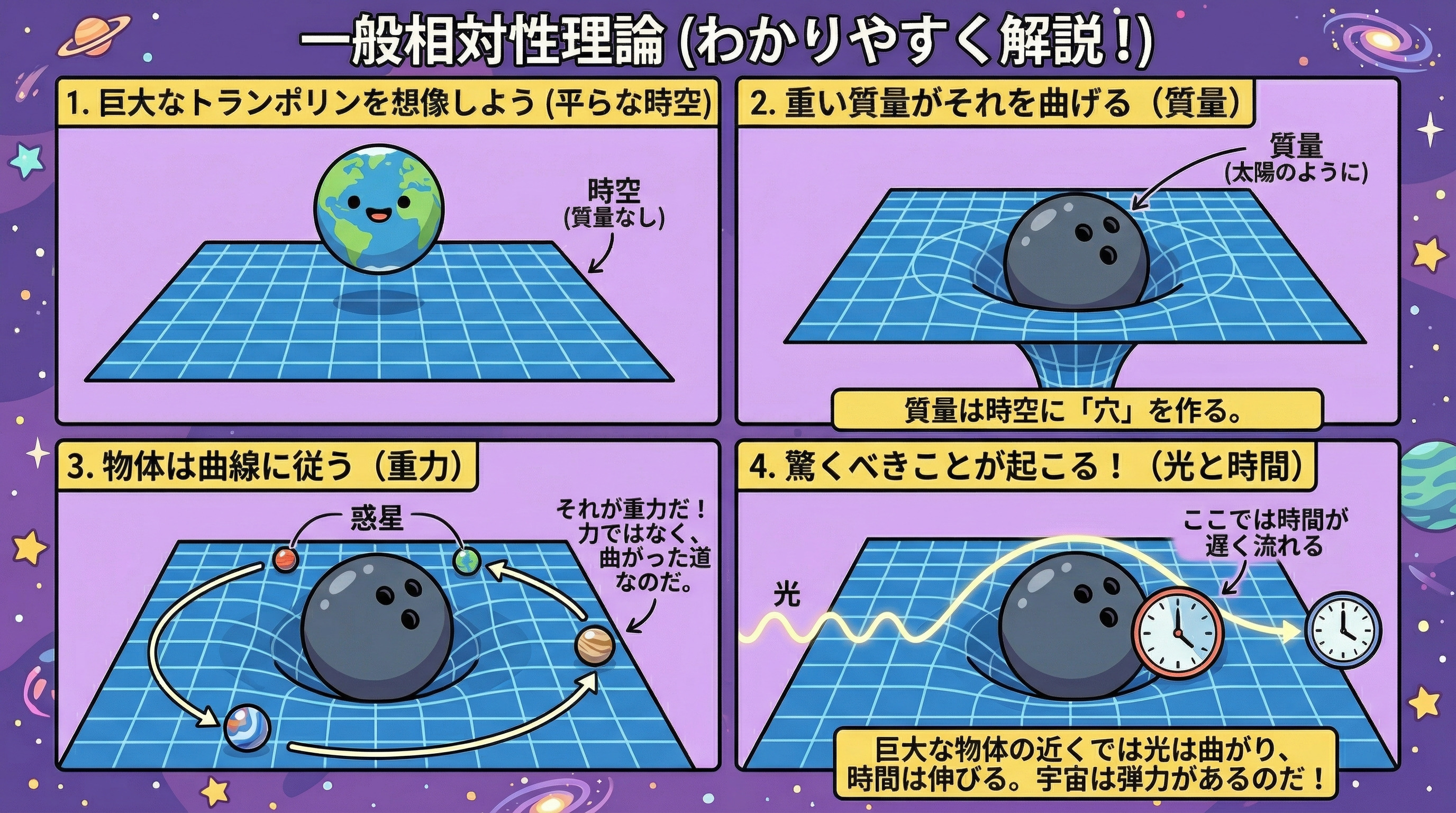
9) 混合搭配! (高級影像混合)
Flash 版最多可混合 3 張圖片,而 Pro 版最多可處理14 張圖片!一次操作即可呈現豐富多彩的內容。非常適合製作複雜的拼貼畫或展示您的全線產品。
# Mix multiple images
response = client.models.generate_content(
    model=PRO_MODEL_ID,
    contents=[
        "An office group photo of these people, they are making funny faces.",
        PIL.Image.open('John.png'),
        PIL.Image.open('Jane.png'),
        # ... add up to 14 images
    ],
)

# Save the image
for part in response.parts:
    if image:= part.as_image():
        image.save("group_picture.png")
注意:如果您想要非常高保真度的角色,請將角色數量限制在 5 個以內,這對於一個派對之夜來說已經綽綽有餘了!
10)炫技時刻! (專業版專屬示範)
以下是一些只有 Nano Banana Pro 才能實現的功能範例。準備好被驚艷吧!
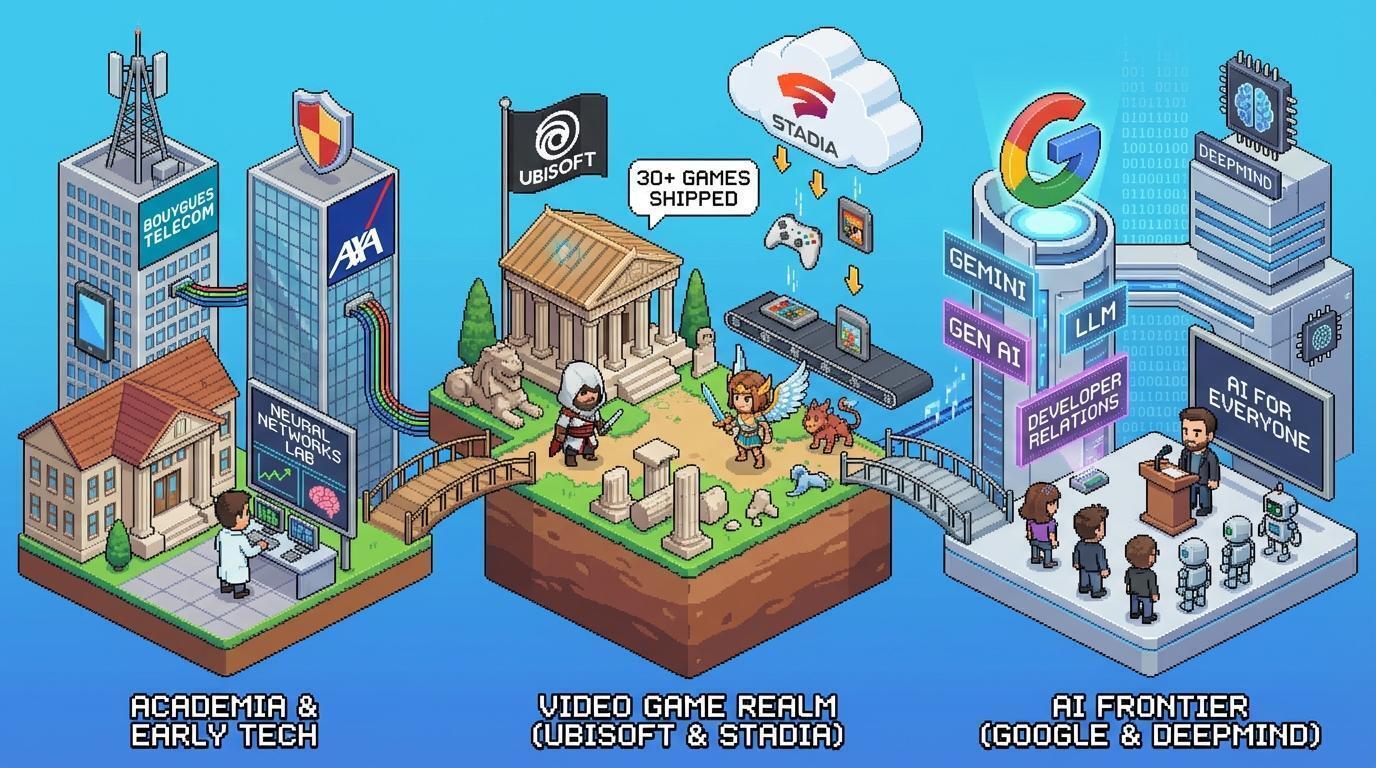
個人化像素藝術(搜尋基礎)
提示:“上網搜尋,然後生成一張等距透視的、精細的像素藝術圖像,展現紀堯姆·凡爾納德的職業生涯。”
它利用搜尋定位來查找有關某人的具體訊息,並以特定風格將其視覺化。
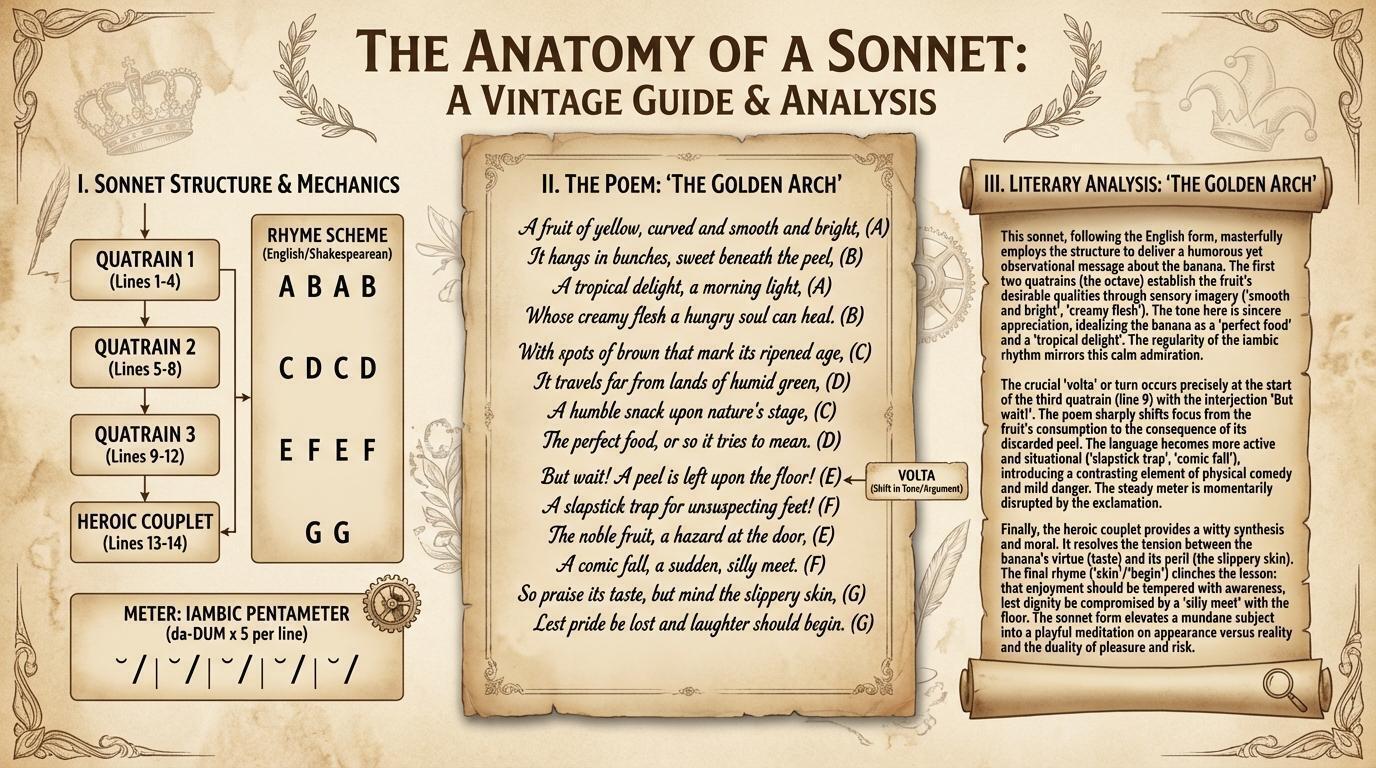
複雜文字整合
提示:“請用一首關於香蕉的十四行詩,製作一張關於十四行詩結構的訊息圖,並附上對這首詩的詳細文學分析。風格要復古美觀。”
該模型可以產生連貫的長篇文本,並將其完美地融入複雜的佈局中。
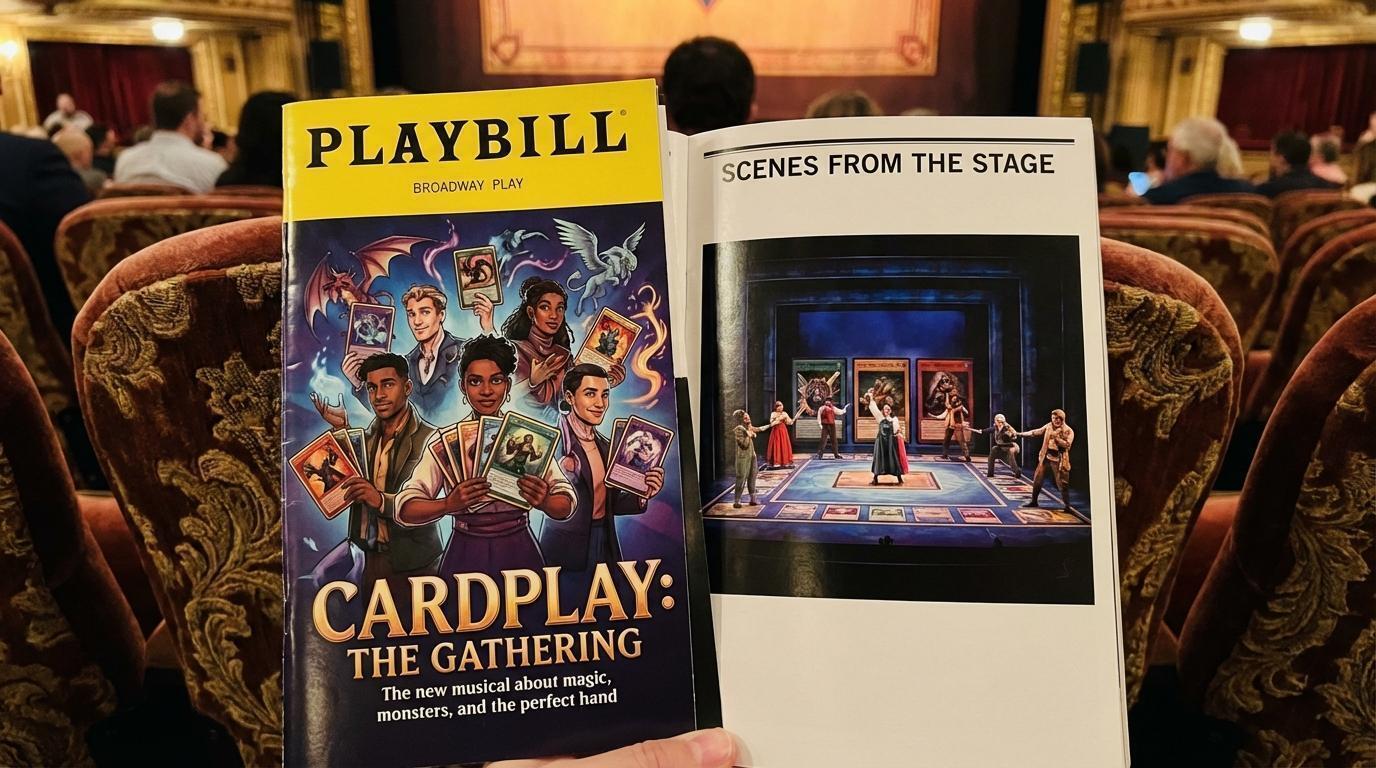
高保真模型
提示:“一張百老匯演出節目單的照片,內容是關於集換式卡牌遊戲玩家的,照片中的人物坐在舒適的劇院座椅上,節目單製作精良,光面印刷,我們可以看到封面和一頁舞台照片。”
建立具有精確光線和紋理的印刷材料逼真模型。
11) Nano Banana 和 Nano Banana Pro 的最佳實踐和提示技巧
為了使用Nano Banana模型獲得最佳效果,請遵循以下提示指南:
務必做到非常具體:你提供的關於主題、顏色、光線和構圖的細節越多,你對最終效果的控制就越強。
提供背景和意圖:解釋圖像的目的或預期氛圍。模特兒對背景的理解會影響其創作選擇。
迭代與改進:不要指望第一次就能做到完美。利用模型的對話能力,逐步修改並完善你的影像。
使用逐步說明:對於複雜的場景,請將提示分解成一系列清晰、按順序的說明。
使用正面的框架:不要使用「沒有汽車」之類的負面提示,而是積極地描述理想的場景:「一條空曠荒涼的街道,沒有車輛通行的跡象」。
控制攝影機:使用攝影和電影術語來指導構圖,例如“廣角鏡頭”、“微距鏡頭”或“低角度透視”。
充分利用搜尋基礎:當你希望模型使用即時或真實世界的資料時,務必非常精確。 「在網路上搜尋關於里昂上屆奧運比賽的資訊並製作資訊圖表」比起僅僅「製作里昂隊上屆比賽的資訊圖表」(雖然後者也能用,但不要冒險)效果更好。
使用批量 API降低成本並獲得更多配額:批量 API 允許您一次發送少量或大量的請求。處理時間可能長達 24 小時,但作為交換,您可以節省 50% 的生成成本。而且配額也更高!
要深入了解最佳實踐,請查看文件中的提示指南以及官方部落格上發布的 Nano Banana 提示最佳實踐。
包起來
Nano Banana Pro(Gemini 3 Pro Image)為人工智慧影像生成開闢了新的領域。它具備思考、搜尋和渲染 4K 影像的能力,是專業創作者(以及追求極致樂趣的人)的理想工具。
準備好試試看了嗎?前往Google AI Studio ,嘗試或自訂我們的應用,或查看使用指南。

原文出處:https://dev.to/googleai/introducing-nano-banana-pro-complete-developer-tutorial-5fc8
1) --- 會變成分隔線(上一行必須是空白)
2) # 會變成一級標題
3) ## 會變成二級標題
4) ### 會變成三級標題
5) **粗體文字**會顯示粗體文字
6) ```當第一行與最後一行會顯示程式碼
7) 請搜尋 Markdown 語法,了解各種格式
